AI Automation and Enablement
AI assistance connected to real website work
Nous Technologies built a controlled connection between AI tools and website operations, so prepared content and images can become a structured page ready for review. The integration supports the work after writing: uploading media, arranging information and saving it in the website under the user’s existing permissions.
Website content operations
An organisation with a public-facing website used to communicate events, updates and knowledge content. Its team needs to keep that information current while managing day-to-day responsibilities. This case focuses on its content operations and the technology we built to support them.
The business problem
Generating text is only part of a website update. Someone still has to copy it into the right place, upload and attach images, enter event details, arrange the page and check the result. When these steps require a technical colleague or supplier, a short announcement becomes a series of handoffs.
The cost is repeated staff effort, coordination and waiting time. An AI writing tool alone leaves much of that work in place. The requirement was to connect assistance to the website actions that complete the task, while keeping control over who can change or publish information.
The solution we built
We added authenticated website operations for content, media and structured layouts, together with an account connection screen, role checks and action records. A configured AI integration can use these operations to prepare an event draft that the team can inspect before publication.
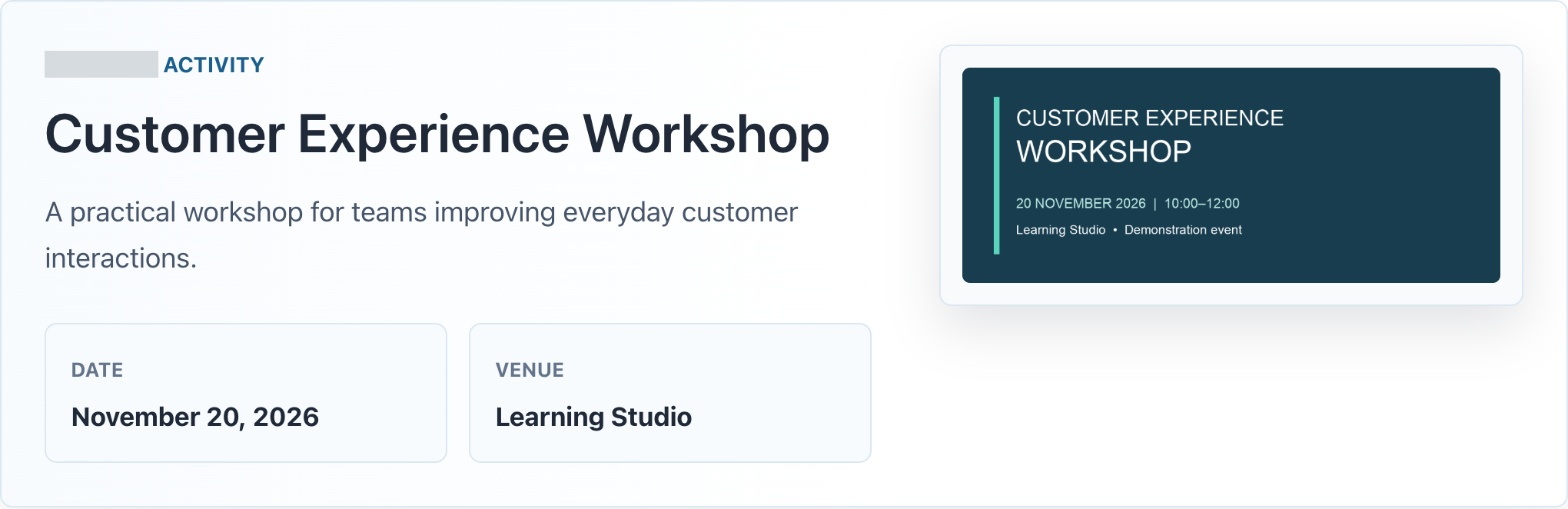 View full-size screenshot
 Actual interface screenshots from local validation. The event and poster are demonstration content; customer identification is masked.
Capability case study • The local demonstration verifies the website workflow. Business savings and external AI-provider connectivity require separate measurement and validation.
From an event brief to a reviewable page
Demonstration brief: prepare a Customer Experience Workshop for 20 November 2026, from 10:00 to 12:00 at Learning Studio. Include journey mapping, common points of friction and action planning. Use the supplied poster and save a draft for review.
The integration turns those details into supported content blocks, checks the proposed request, uploads the poster and saves the event as a draft. The website applies its existing layout. A reviewer can then inspect the page, correct the content and decide whether it is ready to publish.
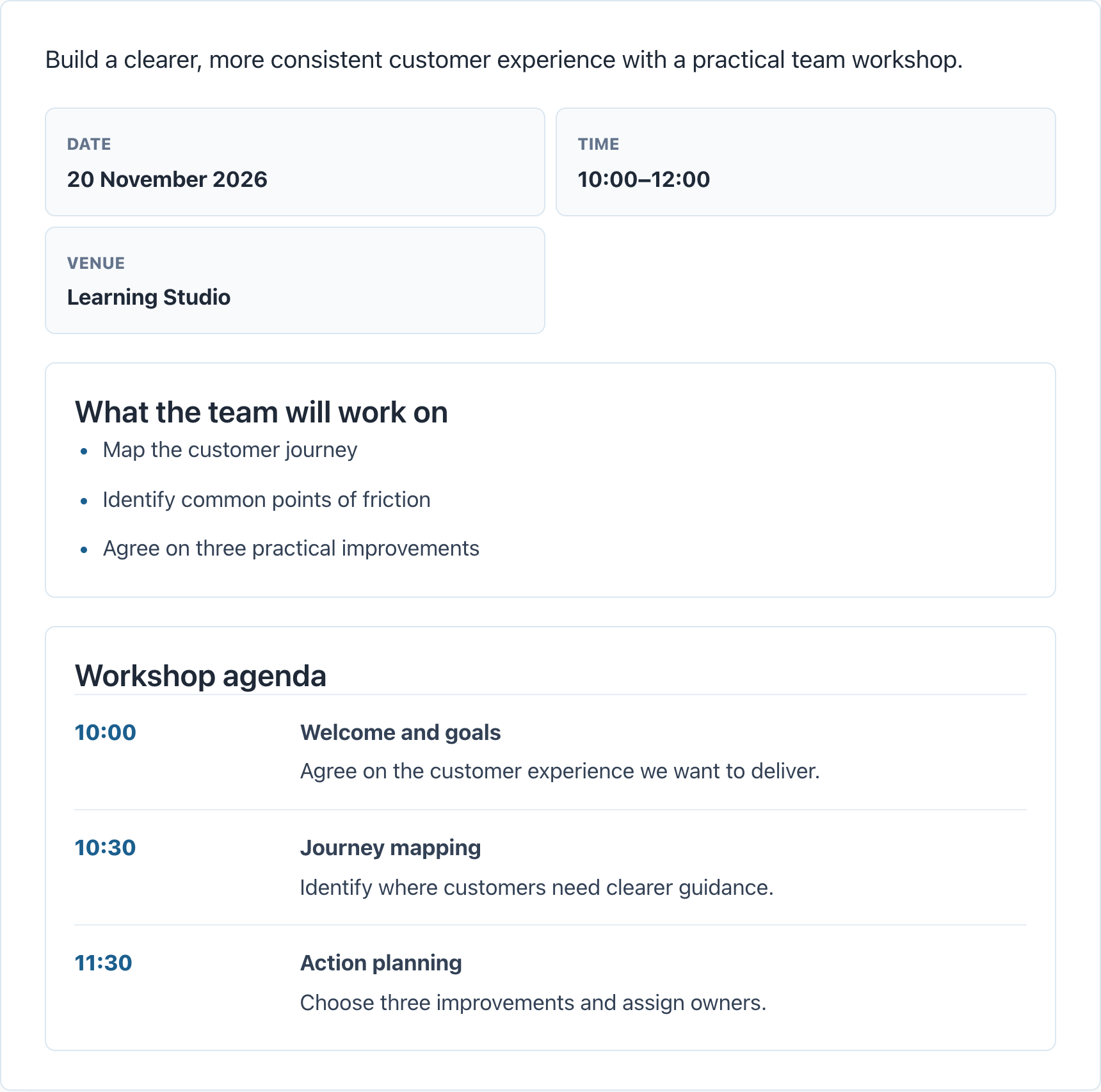 View full-size screenshot
 Actual interface screenshots from local validation. The event and poster are demonstration content; customer identification is masked.
The local test exercised the upload and draft-creation requests through authenticated HTTP calls. It verified the saved record and attached poster; no demonstration event was published.
Useful automation with accountable access
We designed the integration around the person doing the work. Supported actions use the account’s existing website permissions. An assistant can help prepare information without receiving blanket authority over the site.
 View full-size screenshot
 Actual interface screenshots from local validation. The event and poster are demonstration content; customer identification is masked.
A connection the account owner can manage
The setup screen offers named connection-password flows and a route to manage existing passwords. These use WordPress application passwords, allowing a separate credential for each integration rather than sharing the normal login password. Connection credentials can be revoked from the account.
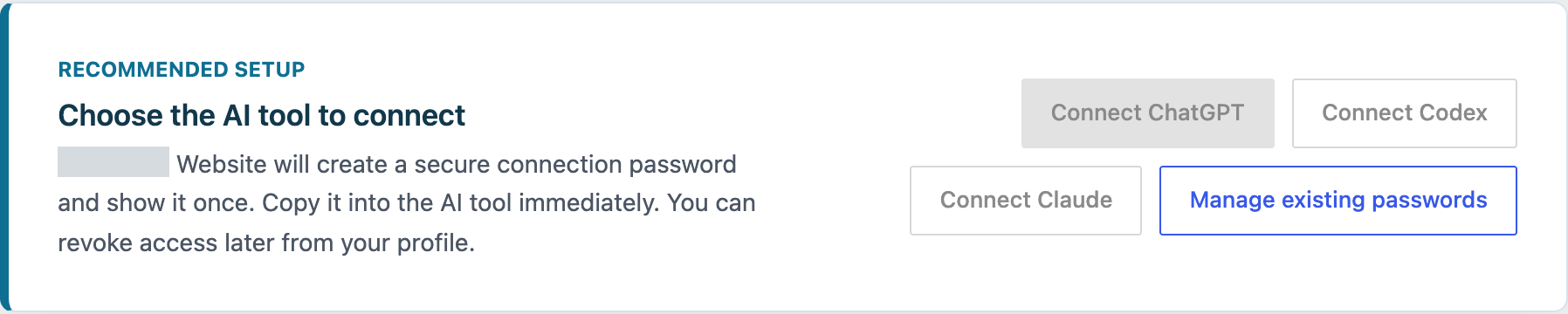 View full-size screenshot
 Actual interface screenshots from local validation. The event and poster are demonstration content; customer identification is masked.
External AI-provider configuration and application-password authentication were not exercised in the local test.
Controls built into the work
- Role-based actions
- The website checks whether the account can perform the requested operation, including publishing.
- Preview or confirm
- Requests can validate a proposed change without saving it. A write requires explicit confirmation; a dry run is available but not compulsory.
- Structured content and owned media
- Supported blocks and media ownership checks constrain what can be assembled into an event page.
- Action records
- Upload and creation actions record the acting account, time and affected records, supporting troubleshooting and accountability.
The demonstrated workflow saves a draft for review. Accounts with publishing rights can publish through supported operations, so review-before-publication must also be enforced through appropriate roles and the agreed workflow.
Business value and evidence of success
The value is reducing the work between having information and having a usable website update. Teams can spend more of their effort checking the facts and communicating clearly, with fewer repeated uploads, layout steps and technical handoffs.
Brief, image and layout
Image uploaded; one event draft saved with the correct poster, title, date, venue and structured content.
Reviewable result
The saved draft rendered as a website page, including highlights and an agenda.
Permission and write controls
Unauthenticated requests and publishing without permission were rejected. A request without preview or confirmation was also rejected.
Traceable actions
The media upload and draft creation produced records identifying the acting account and affected items.
Why this is a practical solution
It extends the customer’s existing website and works with its content types, presentation rules and user roles. Staff retain a familiar review destination. For repeated event and article workflows, this provides a reusable foundation for AI assistance instead of treating every update as a new technical task.
Where this capability can help other businesses
The same approach can support businesses that repeatedly publish events, training sessions, service updates or knowledge articles. Our capability is connecting AI assistance to existing systems, defining permitted actions and producing work that the responsible team can review.
What business success should measure
- Total completion time
- Compare manual and assisted work from the same brief to an approved page, including review, retries and corrections.
- Correction effort
- Record editing minutes and the number of factual, image and layout corrections per page.
- First-pass acceptance
- Measure the percentage of drafts accepted by the reviewer without changes.
- Cost per approved update
- Include staff time, supplier involvement and any AI or integration usage costs.
Success means lower total effort and cost per approved update, while meeting the same content-quality and access requirements. Numeric targets should be agreed against a measured manual baseline. No production time-saving, cost-saving or acceptance-rate percentage is claimed in this case.
Evidence scope: local validation on 29 October 2026 using disposable demonstration data and authenticated website sessions. External AI-provider configuration and application-password authentication were not exercised in this test. The action log is a bounded operational record, not a permanent compliance archive.