A website your team can run
Website self service for a medical professional association
Nous Technologies helped the association turn routine website updates into an internal task. Authorised team members can maintain their own information without commissioning a developer for each change, and instructions stay inside the website for the next management team.
Medical professional association
A not for profit association of medical professionals serving a Tier A city. Its management team changes periodically, while the website must continue to carry events, member information, leadership messages and other regular updates.
Leadership updates pending since 2018
The association reported that updates to its website leadership information had been pending since 2018. Technical dependency, the cost of external assistance and the absence of a usable self-management system had left a basic information update unresolved for years.
Making a change meant securing internal approval, engaging an external technical provider, obtaining a quotation and discussing the cost before arranging the work. For an association with changing office bearers, coordinating those decisions turned a small update into a prolonged administrative burden.
Controls the team can use itself
The team was willing to manage the website itself to reduce that dependency and expense. It needed controls usable without a technical background, with guidance that would remain available when the committee changed.
We built dedicated management screens and an embedded operating guide to support routine work without reliance on a specialist technical handover.
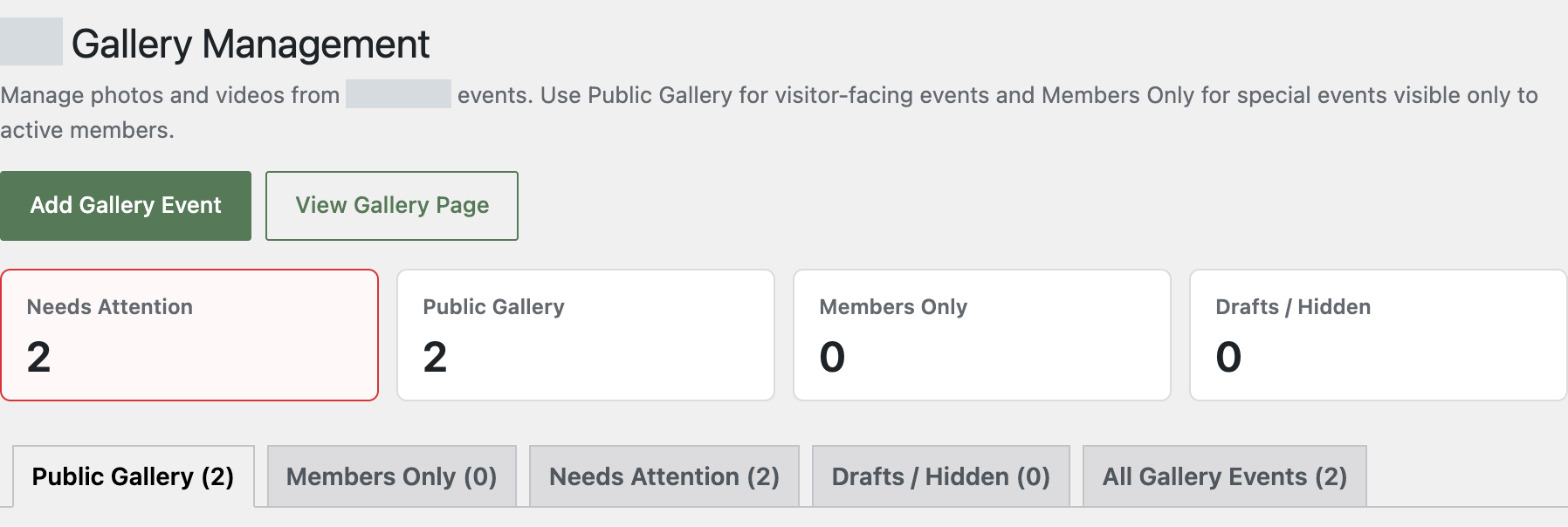 View full-size screenshot
 Screenshots show the actual interface in a local copy. Grey masks conceal customer identifiers or content. Counts reflect that copy and are not production usage metrics.
Routine work organised around familiar tasks
We added management screens to the existing website for the work the association performs repeatedly. Activities, galleries, profiles and messages have their own controls, so staff can work with the information they understand without editing the website layout.
A manager can find an activity, see whether it is upcoming, historical or archived, and open the relevant editing or email settings. Missing information is called out beside the record, making the next action visible without inspecting the public website page by page.
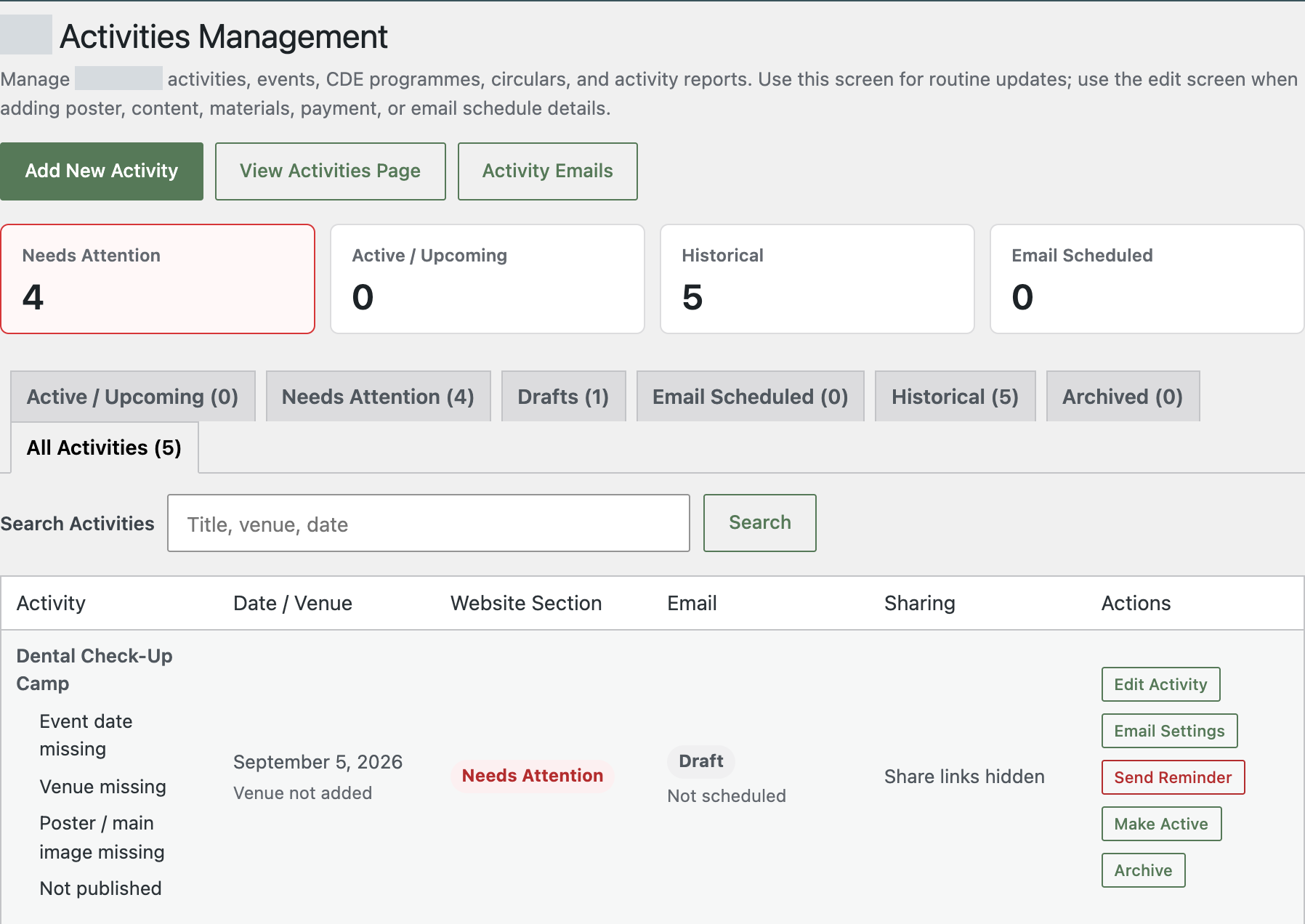 View full-size screenshot
 Screenshots show the actual interface in a local copy. Grey masks conceal customer identifiers or content. Counts reflect that copy and are not production usage metrics.
- Events and activity reports
- Maintain details, posters, materials and publication status.
- Member and practice profiles
- Update profile information through dedicated fields.
- Articles and advertisements
- Use review workflows, placement settings and scheduling.
- Leadership and galleries
- Maintain messages and control who can view event media.
Guidance that stays when the team changes
The operating guide is part of the management area. It explains the modules, roles and routine procedures in plain language. An incoming committee member can open the relevant topic and follow the same steps, instead of relying on a predecessor to remember and explain the process.
Procedures and records remain available in the system, and responsibilities can be assigned through roles. Incoming office bearers receive the appropriate access and can consult the same guidance.
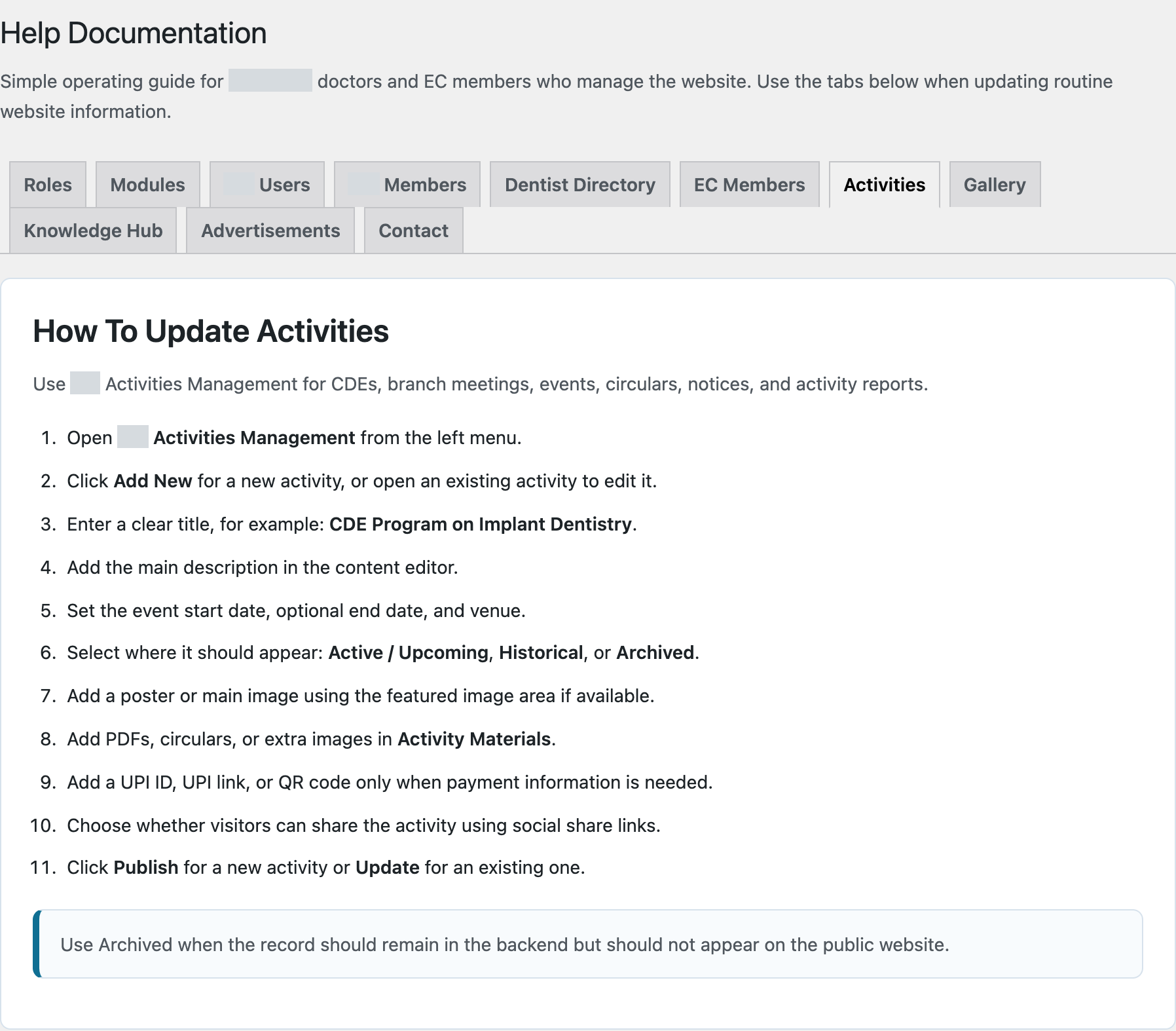 View full-size screenshot
 Screenshots show the actual interface in a local copy. Grey masks conceal customer identifiers or content. Counts reflect that copy and are not production usage metrics.
Routine updates without the delays
Leadership messages use a dedicated form with named fields and an explicit visibility choice. Staff can change the message and its attribution without opening a page builder or changing the surrounding page design.
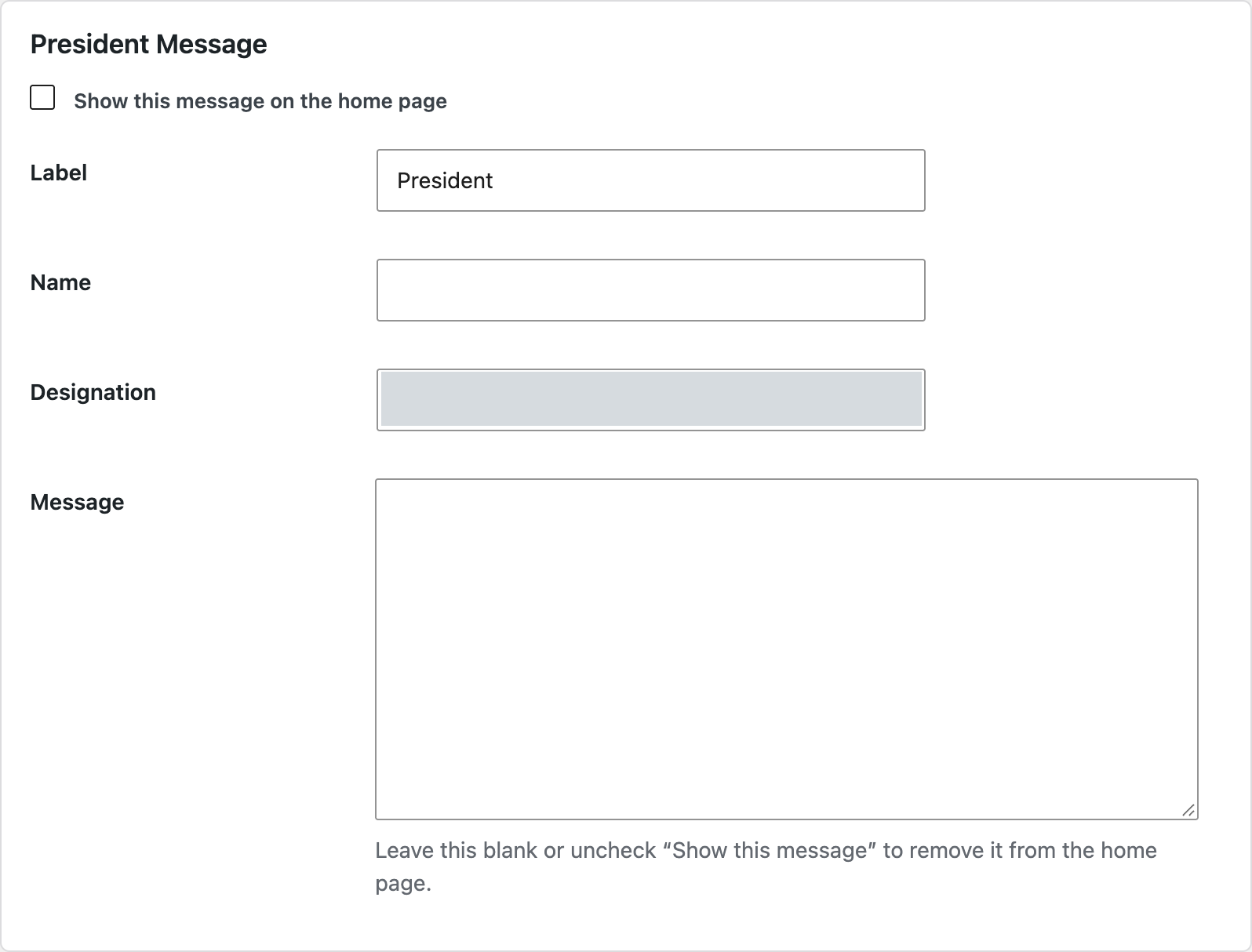 View full-size screenshot
 Screenshots show the actual interface in a local copy. Grey masks conceal customer identifiers or content. Counts reflect that copy and are not production usage metrics.
For routine information updates within their assigned authority, team members can now edit and save directly. There is no separate developer quotation, spending approval or external development charge for each such update. Hosting, security and technical maintenance remain separate responsibilities.
What changed in the update process
PreviouslyInternal approval and supplier engagement
With self serviceAuthorised staff handle routine updates directly.
PreviouslyQuote, cost discussion and scheduling
With self serviceNo separate procurement cycle or developer fee per routine update.
PreviouslyDependence on technical handover
With self serviceSaved records and operating instructions remain available to each team.
Routine information changes are handled within assigned authority. Content that requires an editorial or membership decision retains its relevant approval workflow.
Benefits for the association
Self service changed both the cost and the effort of keeping the website current. The association reports lower recurring expenditure, the removal of external charges for routine additions and greater confidence in promoting its website.
Lower annual recurring spend
Customer-reported comparison of the previous annual website-update arrangement with current hosting-only recurring spend. Excludes one-off system build costs.
Reduction in routine update charges
External charges for covered standard event and gallery additions have been eliminated. The team performs these updates internally.
Enquiries relative to directory size
New membership enquiries within two months, measured against displayed directory profiles. This is not a membership growth or visitor conversion rate.
No external charges for routine additions
Events and galleries are intermittent, but predictable parts of the association's work. Previously, each addition could require a separately priced technical job. Authorised team members can now add this information themselves without an external development charge for each update.
Time saved on coordination
Routine changes no longer require quotations, update budget discussions, developer coordination or chasing completion. The team can make the change when the information is ready. Administrative hours saved have not been quantified.
Continuity without a technical handover
Incoming office bearers receive the appropriate access, while records, clearly labelled controls and operating instructions remain in the system. Routine updates no longer depend on a technical handover from the outgoing team.
Greater confidence in promoting the website
The association reports that the new system gave it greater confidence to market the website. Over two months, it received new membership enquiries equivalent to 4.5% of the number of profiles displayed in its directory. The website now supports outreach as well as routine administration.
Results are reported by the customer. The 88% comparison concerns recurring annual spend and excludes one-off system build costs. The 100% figure concerns external charges for covered routine updates. The enquiry percentage uses displayed directory size as its comparison base; it is not a membership growth or visitor conversion rate.